
Z - Device Test (Ad Free)1.8 - Get APK
You'll be able to download in few seconds.
Publisher Description
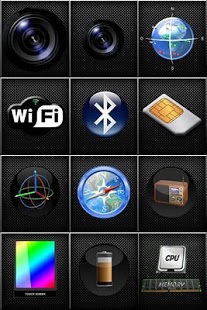
Z-DeviceTest lets you check your Android device sensors "health" in an intuitive and comprehensive way offering in-depth analysis all the characteristics of your Smartphone.
You can use the application to:
-To complement the manufacturer's technical information.
-To compare the technical differences between more than 600 models of devices on the market.
-Test the proper functioning of all your sensors.
-Measure the accuracy of each sensor.
-To get the most out of your Smartphone.
-To check the GPS signal, camera, compass, accelerometer, microphone, speakers, WiFi signals, Bluetooth, GSM / UMTS, FM Radio, Display, Battery, CPU, Memory, Vibration, USB, Audio / Video , operating system, light sensor, proximity sensor, temperature sensor, flash sensor, NFC near field comunication, Barometer, the detection of Navstar satellites in the constellation jointly and individually, .. etc..
Please do not hesitate to send your comments to:
E-mail: z-devicetest@zausan.com
Facebook: http://www.facebook.com/topic.php?uid=145081415519605&topic=200
Youtube: http://www.youtube.com/user/zausaninnova?feature=mhee
Version 1.11
- Updated camera api to level 15 (Android ICS 4.0.4).
Version 1.6.19
- Added support for NFC.
Version 1.6.16
- Added support for Ant+ devices
Version 1.6.13
-Added in a test GPS accuracy to meet itself.
Version 1.6.12
The block-GPS can check what Navstar satellite constellation are giving you coverage at all times and know the detailed specifications of each.
Version 1.6.11
Corrected minor bugs.
Version 1.6.10
- Added test pressure sensor of the touch screen.
- Detection of multimedia chip.
- Detection of version ALSA (Advanced Linux Sound Architecture).
- Detection of process model.
- Detection of the number of processors.
- Detection of the processor frequency.
- Added OpenGL version detection.
- Added detection of OpenGL graphics chip.
- The flash works on some models.
About Z - Device Test (Ad Free)
The company that develops Z - Device Test (Ad Free) is ZAUSAN Innovación Tecnológica. The latest version released by its developer is 1.8.
To install Z - Device Test (Ad Free) on your Android device, just click the green Continue To App button above to start the installation process. The app is listed on our website since 2017-03-14 and was downloaded 0 times. We have already checked if the download link is safe, however for your own protection we recommend that you scan the downloaded app with your antivirus. Your antivirus may detect the Z - Device Test (Ad Free) as malware as malware if the download link to zausan.zdevicetestadfree is broken.
How to install Z - Device Test (Ad Free) on your Android device:
- Click on the Continue To App button on our website. This will redirect you to Google Play.
- Once the Z - Device Test (Ad Free) is shown in the Google Play listing of your Android device, you can start its download and installation. Tap on the Install button located below the search bar and to the right of the app icon.
- A pop-up window with the permissions required by Z - Device Test (Ad Free) will be shown. Click on Accept to continue the process.
- Z - Device Test (Ad Free) will be downloaded onto your device, displaying a progress. Once the download completes, the installation will start and you'll get a notification after the installation is finished.
Program Details
System requirements
Download information
Pricing
Version History
version 1.8
posted on 2017-03-14
Android 5.0 Lollipop bugs corrected
version 1.6.6
posted on 2011-04-22
Several fixes and updates
Disclaimer
External Download
We do not host Z - Device Test (Ad Free) on our servers. We did not scan it for viruses, adware, spyware or other type of malware. This app is hosted by Galad and passed their terms and conditions to be listed there. We recommend caution when installing it.
The APK Download link for Z - Device Test (Ad Free) is provided to you by apps112.com without any warranties, representations or guarantees of any kind, so access it at your own risk.
If you have questions regarding this particular app contact the publisher directly. For questions about the functionalities of apps112.com contact us.
